
Last week I was using one of my Evolve III Maestro E-Books during our local ARES-RACES NBEMS digital net. I noticed the keyboard had developed a hump in the middle. Having seen this once before in another laptop, I immediately knew what was causing it: a bulging battery. As a precaution, I disabled the battery in the Windows Device Manager and continued running solely on AC power.
The next day I opened up the laptop to remove the battery. That was fairly simple to do. I just needed to remove nine tiny Phillips screws to open the case. Then I removed five more tiny screws holding the battery and unplugged the battery cable. It was a painless process.
Searching the Internet, I found some sources for replacement batteries. I ended up buying one on eBay from a seller that ships from New Jersey. Of course, that convenience came at a price. I ended up paying $40 for a battery to put in a $90 laptop. Yikes!
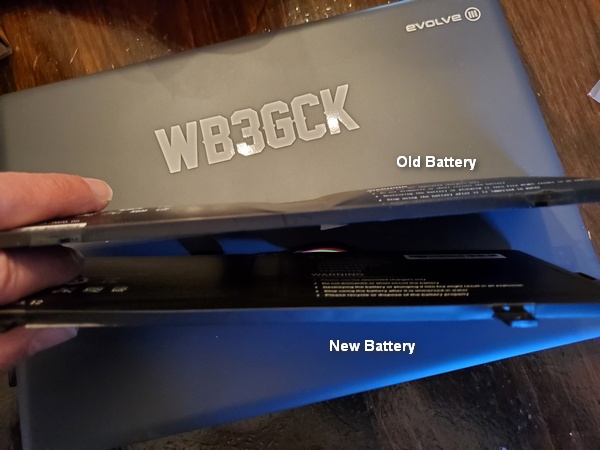
A week after I first noticed the problem, I had a brand new battery in my mailbox. It took about 15 minutes to open the laptop, install the new battery, and put it all back together again. Happily, it survived the “smoke test” and charged up normally. Back in business!
Yeah, $40 is steep investment for such a cheap laptop, but I really like this little thing. Hopefully, it’s got a couple more years left in it.
73, Craig WB3GCK
 WB3GCK QRP Amateur Radio
Hope you have a hazardous materials drop-off site nearby. I like to get rid of those battery time bombs as quickly as possible. The GOOD News is that the $90 laptop actually had a replaceable battery. Having once worked in the field serviceability part of a large computer firm, I was really irritated to find that the much more expensive Windows Surface is totally non-serviceable. That thing is completely glued together, nothing replaceable. Guaranteed to fail before you expect it.
72 de N4REE, Bob
LikeLike