Last week I was using one of my Evolve III Maestro E-Books during our local ARES-RACES NBEMS digital net. I noticed the keyboard had developed a hump in the middle. Having seen this once before in another laptop, I immediately knew what was causing it: a bulging battery. As a precaution, I disabled the battery in the Windows Device Manager and continued running solely on AC power.
The next day I opened up the laptop to remove the battery. That was fairly simple to do. I just needed to remove nine tiny Phillips screws to open the case. Then I removed five more tiny screws holding the battery and unplugged the battery cable. It was a painless process.
Searching the Internet, I found some sources for replacement batteries. I ended up buying one on eBay from a seller that ships from New Jersey. Of course, that convenience came at a price. I ended up paying $40 for a battery to put in a $90 laptop. Yikes!
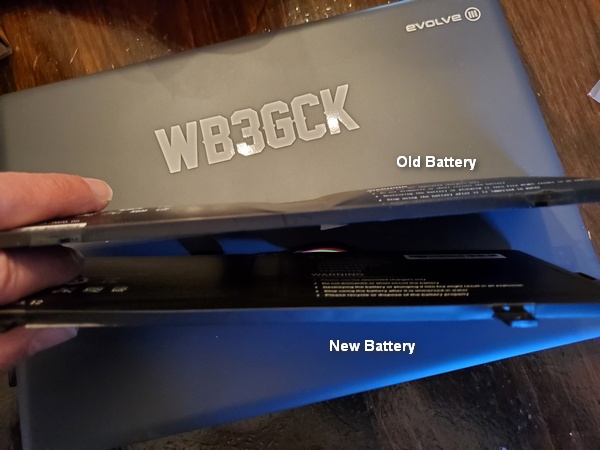
This isn’t a great a picture, but you can see how bloated the old battery was. It’s hard to tell with the lousy lighting, but the new battery is perfectly flat.
A week after I first noticed the problem, I had a brand new battery in my mailbox. It took about 15 minutes to open the laptop, install the new battery, and put it all back together again. Happily, it survived the “smoke test” and charged up normally. Back in business!
Yeah, $40 is steep investment for such a cheap laptop, but I really like this little thing. Hopefully, it’s got a couple more years left in it.
I bought the Evolve III Maestro E-Book about nine months ago. Having used it for various ham radio applications during that time, I thought I’d offer some updated thoughts on this inexpensive laptop.
Spoiler alert! There really isn’t anything I dislike about the Evolve III laptop. Sure, it’s not the speediest machine ever built, but it has stood up to every task I’ve thrown at. I regularly use it at home for Winlink, NBEMS, and VarAC. I’ve also used it for these modes in the field for ARES-RACES exercises.
The Evolve e-book in use during this year’s Field Day
Power Considerations
Besides its small size and low cost, the thing I like best about the Evolve III is its battery life. Depending on what I’m doing, I can get eight to ten hours of run time. That’s way more than I need for my typical portable outings.
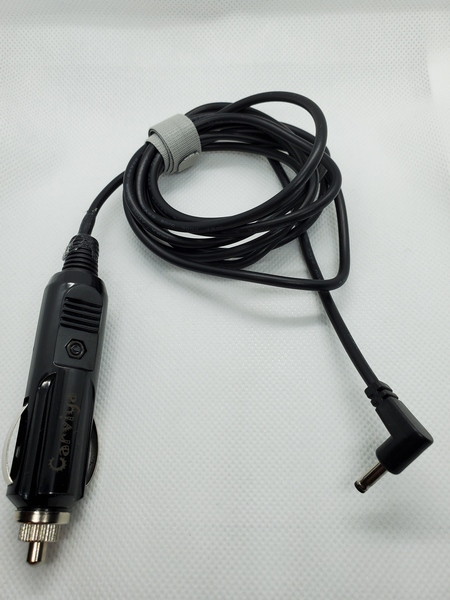
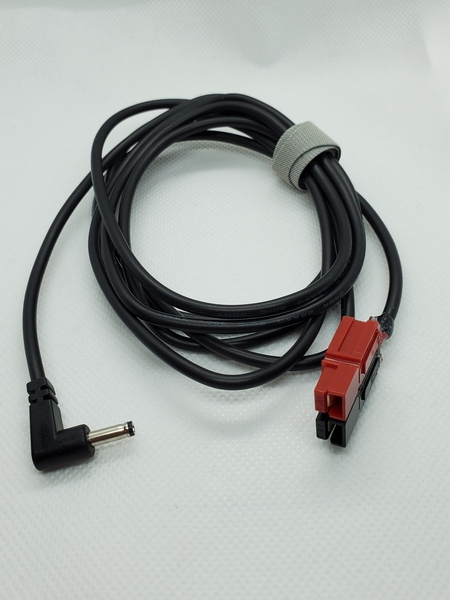
Since the “wall wart” charger it came with outputs 12VDC, I can charge the laptop from a 12V battery. For charging in the field, I bought a 6-foot cable on Amazon that has a 3.5mm x 1.35mm coaxial power connector on one end. On the other end, I added a 12V accessory plug (cigarette lighter type). I also built a second cable with an Anderson Powerpole connector.
A charging cable I built with a 12V cigarette lighter type plug
A 12V charging cable I built with a Powerpole connector
For Field Day, I operated all day without having to charge the laptop. I couldn’t have done that with other laptops I have used in the past. Before turning in for the night, I connected the Evolve to a 17 A-H gel cell battery to charge it overnight. (I had a fused 12V socket installed on the battery.) When I woke up during the night, it was fully charged, so I disconnected it. The Evolve lasted the rest of Field Day without further charging.
Field Day Configuration
My Field Day configuration made full use of the Evolve’s capabilities. I used it for logging, connecting to our shared log file via Wi-Fi. I also used one of the two USB connectors to drive my WKmini Morse interface to send CW with my KX3.
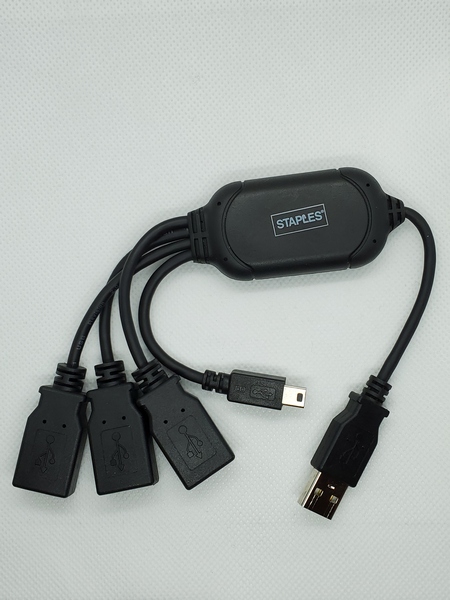
Since I only had one more USB connector available, I used a 3-way USB splitter to accommodate the other devices I needed to attach. I had the receiver for my wireless mouse attached to one port on the splitter and the KX3’s rig control cable connector to another port. I used the third port to connect a thumb drive, which I used for exchanging files with another Field Day participant.
This is a USB splitter I bought at Staples years ago. The extra USB ports came in handy during Field Day.
For backups, I had my N3FJP Field Day logger configured to save backup files to an SD card. Since my backup files included the entire networked log, I had everything I needed to submit our group’s entry on my laptop when I got home.
With all that going on, the Evolve performed flawlessly.
Some Additional Thoughts
I recently heard from a couple of hams who received Evolve laptops with a USB-C charging port. This is a recent design change, I suppose. I don’t have any hands-on experience here, but I think this might actually simplify things in the field. A 12V socket connected to the battery and a commercial 12V cell phone car charger should be all you need to charge the Evolve. Most cell phones and devices seem to favor the USB-C connectors these days, so suitable 12V car chargers are easy to come by.
So, if you couldn’t tell, I’m a big fan of the Evolve III Maestro E-Book. So far, I feel the $89 I paid for it was money well spent. I’m hoping I can get several more years of good service from it.
Another Boschveldt QRP Club Field Day is in the books. The weekend started out rainy, but the weather improved for the rest of the weekend. The inclement weather didn’t stop us from having a good time.
As we’ve done for the past five years, we camped out on private property owned by a local businessman. There were only three of us this year: Ed K3YTR, Glen NK1N, and me. On the air, we operated in category 2A (battery) running QRP. We used our club callsign, W3BQC.
Given the lousy weather, I kept my antenna simple this year. I used a 29.5-foot vertical fed with my homebrew weather-resistant 9:1 unun. NK1N used an 85-foot inverted L, which performed very well for him. Once again, we used a battery operated Wi-Fi access point to network our logging laptops together.
This picture of NK1N’s set up shows the fog and rain on Friday.
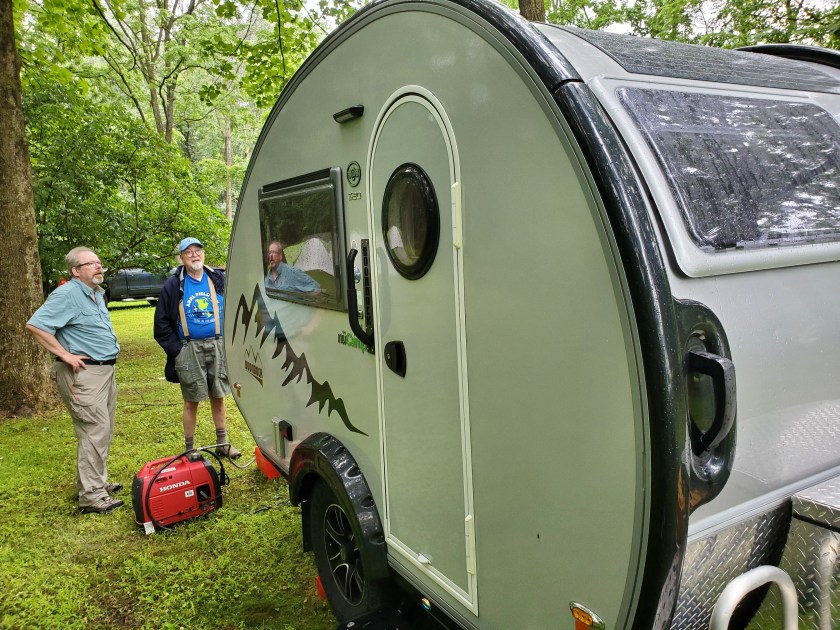
NK1N and K3YTR admiring the trailer Ed K3YTR rented for the weekend
Glen NK1N testing out his gear on Friday
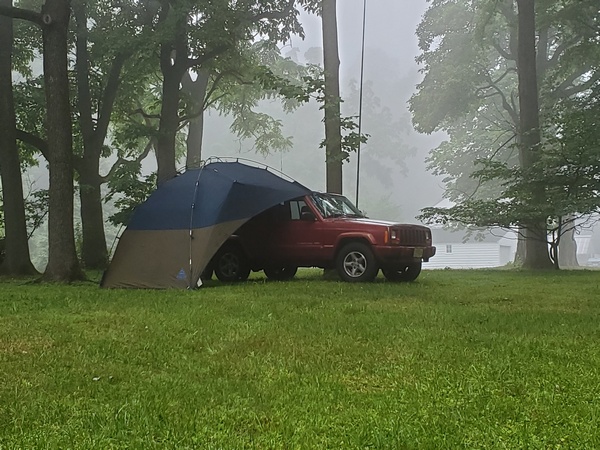
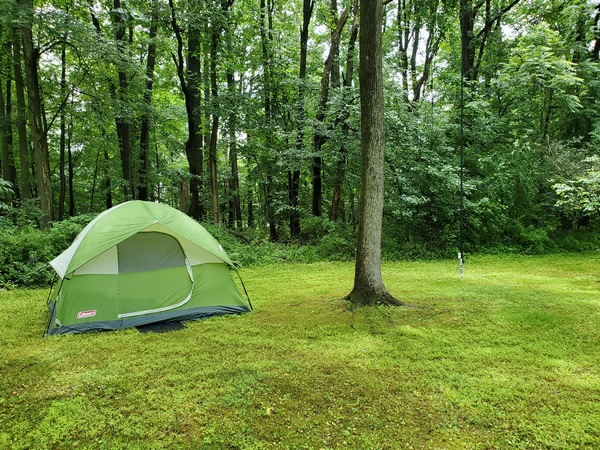
WB3GCK’s tent with my vertical to the right of the tree
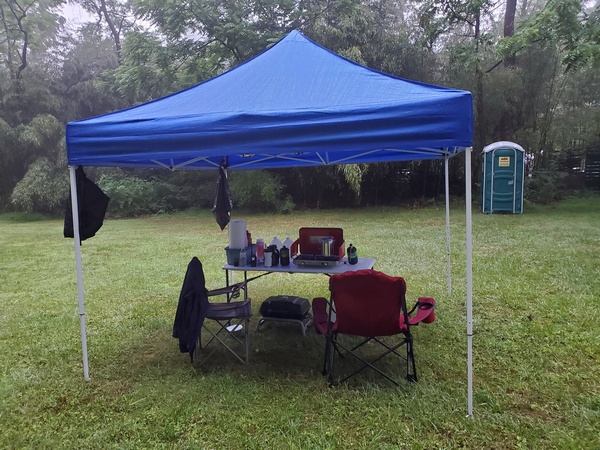
Our common food prep area gave us a place to hang out during the rain.
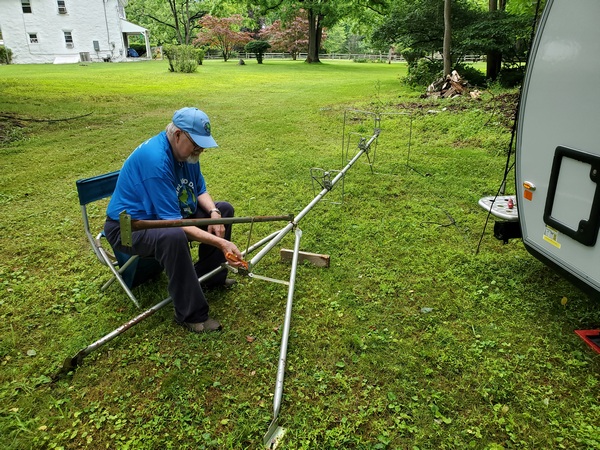
Ed K3YTR assembling his VHF antennas
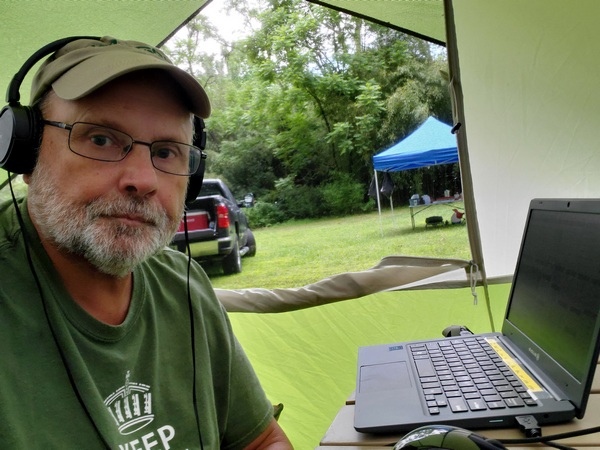
WB3GCK operating from the tent
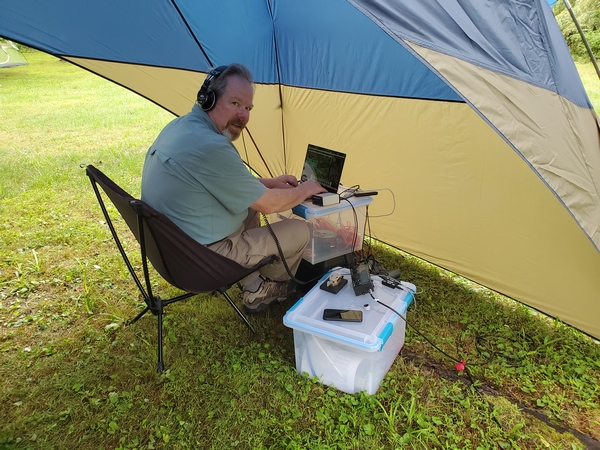
Glen NK1N operating under his canopy
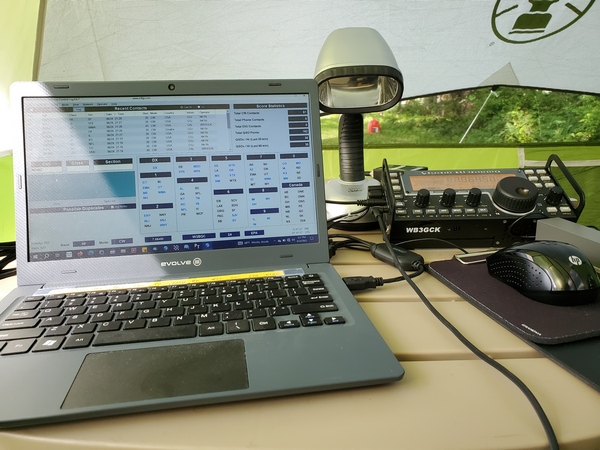
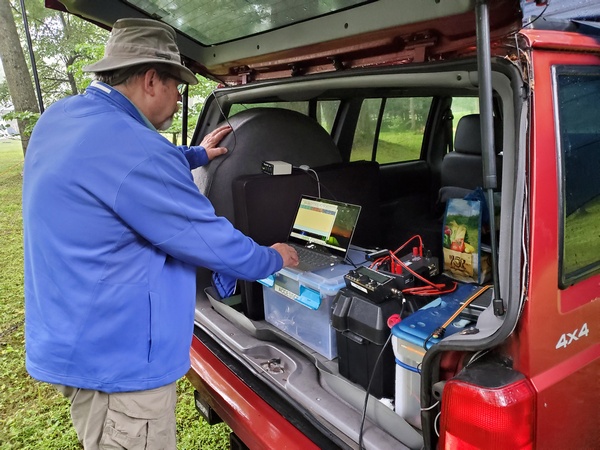
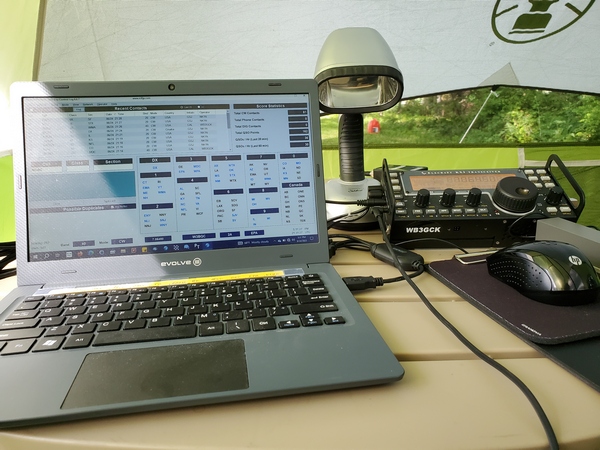
The radio equipment in my tent. This was the first Field Day for my little Evolve laptop. I used it for logging, CW keying, and rig control.
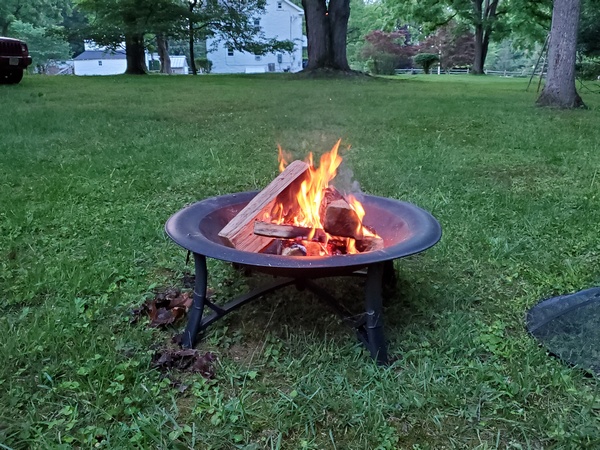
It’s just not a Boschveldt Field Day without a campfire.
I primarily operated 40M CW, while Glen covered 20M and 80M. We both made contacts on 15M CW. Glen had a contact with a station in Croatia and one in Hawaii. I think the Hawaii contact was a Boschveldt QRP Field Day first. By Saturday night, the weather had improved enough for us to take a break and swap some tall tales around the campfire.
The weekend was not without some equipment issues. Glen and I both had batteries fail. Fortunately, we had spares on hand, so our operations weren’t affected. K3YTR also had to spend some time troubleshooting his setup. I also had an issue with the Digirig Mobile interface that I planned to use to send a radiogram via Winlink (VARA-FM). However, Glen was able to successfully send the radiogram via HF.
On Sunday morning, we operated for a few hours before shutting down early to pack up. We had some rain and thunderstorms headed our way, so we wanted to pack up while everything was still dry. (The rain started about an hour after we left.)
We ended up with 233 CW contacts. No records were broken, but the three of us had a great time.
I had two different portable operations this weekend—a mixed bag of sorts.
Yesterday morning, I took part in an EmComm exercise with my local ARES-RACES group. We have a relatively new network of Vara FM digipeaters and Winlink gateways around the county, and the exercise was intended to try them from various locations.
For this exercise, I deployed to the local high school, where I operated “stationary-mobile” from the parking lot. My task was to connect to the county Emergency Operations Center (EOC) and send a Field Situation Report using Winlink over Vara FM on 2M. Then, I connected to the EOC using VarAC and sent a text file containing my Field Situation Report data. I was running 5 watts for both voice and data, so, technically, this was a QRP operation.
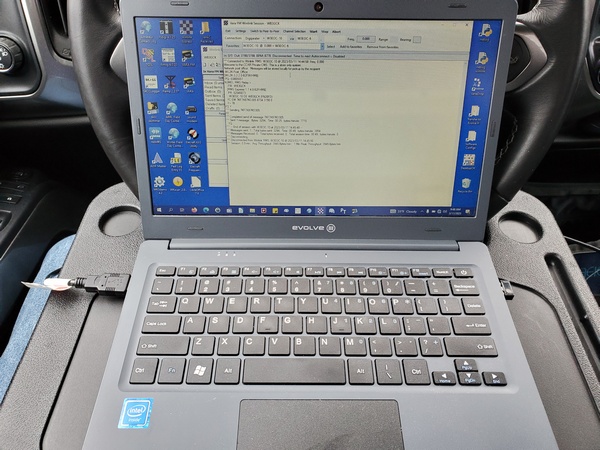
Winlink session on my Evolve laptop. This was my first time using the steering wheel tray, and it worked great.
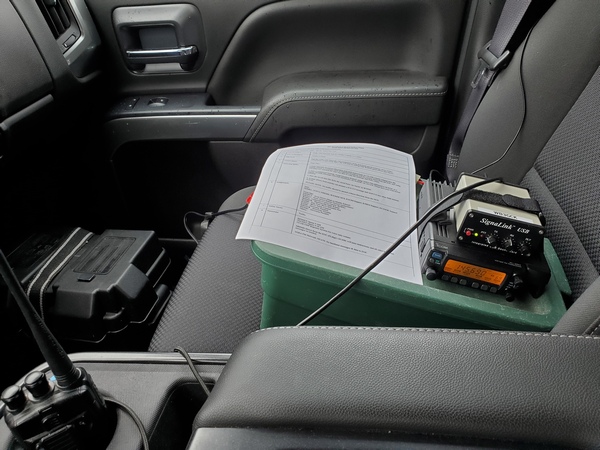
My setup in the truck worked great. I used one of those plastic steering wheel trays to support my little Evolve laptop. I used my trusty old Icom IC-207H dual band rig and a Signalink for the data. Both the IC-207H and the Yaesu FT-8800 I used for voice were powered by separate deep cycle batteries. While everything worked fine, I have a couple of cables I’m going to build to simplify the battery connections.
My setup for Vara FM. The radio was powered by the deep cycle battery on the floor.
This morning, I went to nearby Evansburg State Park (K-1351) for a quick POTA activation. I used my TR-35, T1 tuner, and my 19-foot vertical mounted on my truck. (I didn’t take any pictures today, but, then again, there wasn’t anything special about my setup.) In about an hour, I logged 30 QSOs, including three park-to-park contacts.
While tuning around looking for park-to-park contacts, I worked a station operating with the Straight Key Century Club’s callsign, KS1KCC. My last contact of the day was with NL7V in North Pole, Alaska, on 17M. It’s always a thrill for me to work an Alaskan station. Paul gave me a 229 report, but I’ll take it.
I haven’t been very active on the HF bands lately. Family functions and other obligations have been keeping me busy. This weekend, however, I was able to take part in two different ARES–RACES events.
On Saturday morning, our local ARES-RACES group conducted a Simulated Emergency Test (SET). Because of the heavy rains forecasted, most operators participated from home. During the brief exercise, I sent an NBEMS message and a Winlink peer-to-peer message to the county Emergency Operations Center over local 2M simplex frequencies. I used my little Evolve laptop, and it performed great.
On Sunday, our ARES-RACES group provided emergency communications for the Marshalton Triathlon. This annual, family-friendly event combines cycling, canoeing, and speed walking. This year I was once again stationed at “Canoe Out,” which is the terminus of the 2.3 mile canoe run on the Brandywine River.
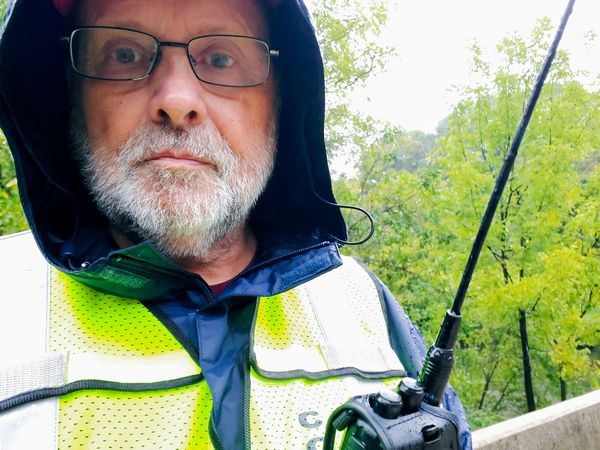
A water-logged WB3GCK at the Marshalton Triathlon
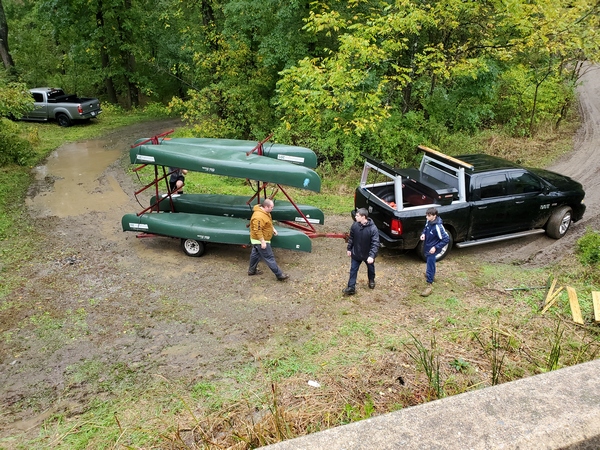
A crew was on hand to help participants disembark safely
The boat handlers did a great job in some very muddy conditions
This year’s triathlon was a wet one. It rained steadily for most of the five hours I was onsite. Despite the lousy weather, the participants seemed to have a good time. After the last canoe arrived, I was able to head home and dry out.
Hopefully, I’ll get back to doing some QRP-portable operating this week.
You’ve most likely heard hams talking about the Evolve III laptop over the past few months. I had been hearing about these little laptops being snapped up at prices as low as $60. Several ARES-RACES colleagues have been happy with them, and there’s even one running 24 x 7 as a VARA FM digipeater in our Emergency Operations Center. So, I had to buy one and judge for myself.
So, what is attracting hams to this laptop? Of course the low price is attractive to frugal hams. It’s also small (11.6-inch display) and light, making it useful for portable operation. Speaking of portable operations, you can charge the Evolve III from a 12-volt DC source. Out in the field, you can charge this laptop from the same type of 12-volt battery used to power your rig.
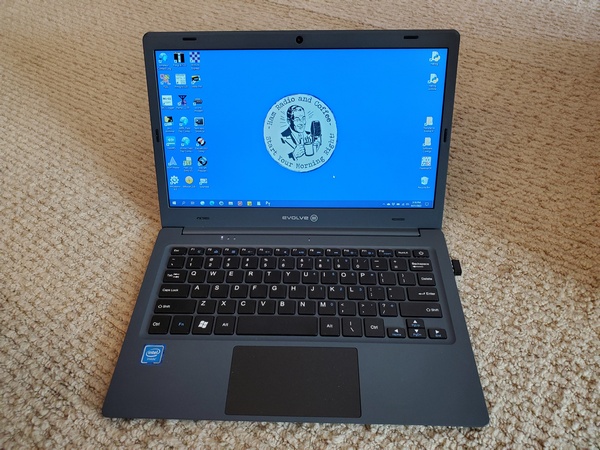
Evolve III Maestro E-Book
Despite its low cost and small size, it’s a capable little machine. It runs the Windows 10 Pro Education operating system, and has two USB ports and a micro SD memory card slot. A 1.1 GHz Celeron processor runs the laptop, and it has 4 GB of RAM and 64 GB of data storage.
Micro Center stores have been selling them for $59.99 with a limit of five per customer. When I checked my local store, they were out of stock, so I bought one on Amazon for about $89. (Still a bargain, I think.) These laptops are obviously clearance items, since the Evolve website shows newer models running Window 11.
My plan for this little laptop is to use it for logging during QRP-portable operations, especially Field Day and Winter Field Day. I also want to use it for digital communications during ARES-RACES exercises and deployments.
Getting started with the Evolve III was the same as any other Windows 10 device I’ve owned. The initial Windows setup didn’t take long, and I was ready to install some software. I started by installing the software I use for logging, e.g., N3FJP ACLog, SKCC logger, HamRS, N3FJP Field Day Logger, etc. Everything ran without issues.
Next I installed the software I need for ARES-RACES. First up was Winlink Express, along with VaraFM and SoundModem. Then, I installed the Narrowband Emergency Messaging System (NBEMS) software, i.e., fldigi, flmsg, and flamp. Over the past two weeks, I’ve been making solid connections to a local Winlink node on 2M using VARA FM. The NBEMS software has also been working great during our local ARES-RACES digital nets.
After using the Evolve III daily for the past few weeks, I really like it. The keyboard has a good feel to it, and the display looks good. I used it outdoors in the shade and the display was still readable. You might need to crank up the brightness, though.
Is it the fastest laptop? No way. Is it fast enough? Absolutely. I’ve heard of hams running FT8 on these things with no issues. You would think the 64GB of storage would be a limitation. However, after installing the ham radio applications I use, I still had about 24GB left. Just in case, I took advantage of the Micro SD card slot and added an extra 128 GB of storage.
I’m really impressed with the battery life. Depending on what I’m doing, I get more than eight hours of operation on a charge.
Lately, it seems like my house is where computers go to die. I’ve had a laptop and a desktop go belly-up in recent months. Given what I paid for the Evolve III, if it dies, I won’t feel a tremendous loss.


 WB3GCK QRP Amateur Radio