Oops! Operator Error!

I was out and about on a rainy and foggy Friday morning. Since I was in the vicinity, I made a stop in Ridley Creek State Park (US-1414, KFF-1414) for a quick activation. I completed the activation successfully, despite some self-inflicted problems. 

I pulled into ‌a convenient parking spot. Not surprisingly, the picnic area I was in was completely deserted. Since the weather was miserable, I planned to use my Elecraft KH1 in the truck with my trusty 12-foot base-loaded whip on the back. 

As I was setting up the antenna, I noticed my first issue. The spot I had hastily chosen was under a tree—a large, rain-drenched one. Rookie error! Fortunately, my 12-foot stainless steel whip went up in between the branches and didn’t appear to be touching any of them. (Note to self: Look up next time!)
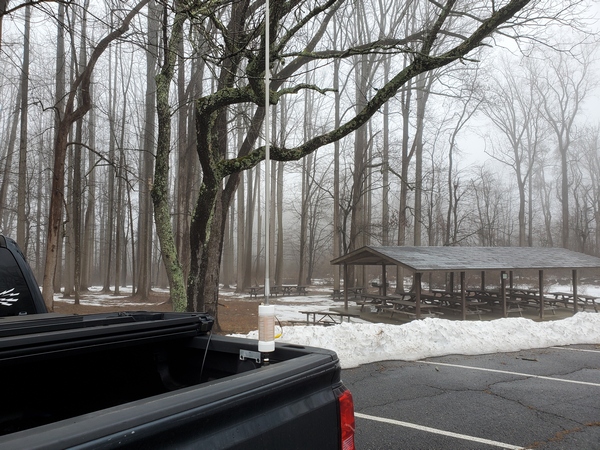
Rainy and foggy morning in Ridley Creek State Park (US-1414, KFF-1414)

I finished up with the antenna and got the KH1 set up for 40M. Normally, with this antenna, the KH1 easily finds a good match on the first try. Not this time. It would find a good match (1.5:1 or better), but the SWR would occasionally jump full scale. I had to hit the KH1’s ATU button to re-tune frequently, sometimes mid-QSO. Thinking it was the wind blowing the whip into the wet branches above, I backed the truck up a foot or two to clear the tree. That didn’t help.

After stumbling through seven contacts on 40M, I went out to change the antenna tap for 20M. As I did that, I realized what the problem was. On my last activation, I was using the KH1’s whip antenna, and I neglected to set the switch for using the BNC connector. The BNC jack is always connected, but the “20M” setting puts in some additional inductance for the whip. It appears extra loading was the source of my issues on 40M. Once I corrected my mistake, things continued normally on 20M and 17M. 

Despite my struggles, I completed my brief activation with 22 contacts in my log. It was good to put a few DX stations in the log:

20M: CU3DI, F1BLL
17M: OE3KAB

All’s well that ends well, I suppose. My switch error got my activation off to a shakey start, but I got it done. Having already experienced blown finals with this rig, I’m usually mindful of the antenna switch setting. Still, I used my trusty label maker to put a reminder right on the radio.
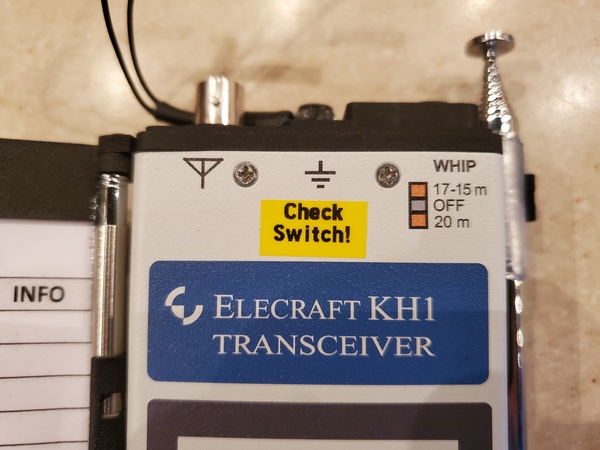
Label added to the front of my KH1 to remind me to check the antenna switch

Take that, Murphy!

72, Craig WB3GCK
Coming Out of a Slump

I’ve been in a bit of a ham radio slump lately. It had been nearly three weeks since my last park activation, and I’ve only had a few QSOs from the home station. Our temperatures have finally gotten above freezing this week, so I headed out to Evansburg State Park (US-1351, KFF-1351) for a long-overdue activation this morning.

With the slightly warmer temperatures this week, the snow and ice from last month’s storm are finally melting (a little). Even though the temperatures are above freezing, we still have what I refer to as “refrigerator weather.” Still, I braved the chilly weather and operated outdoors today. 

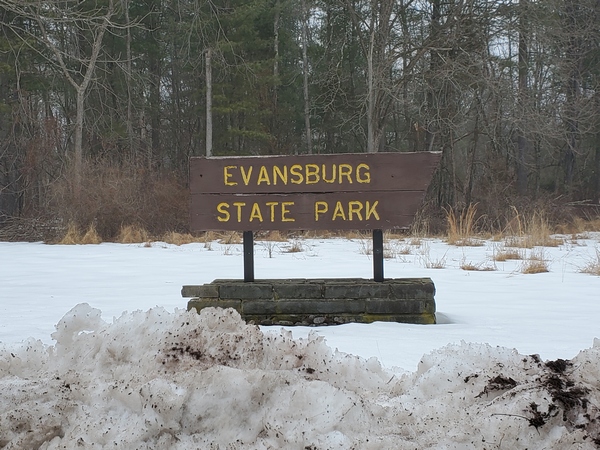
The Evansburg State Park entrance sign with the dirty remnants of last month's snow
The Evansburg State Park entrance sign with the dirty remnants of last month’s snow

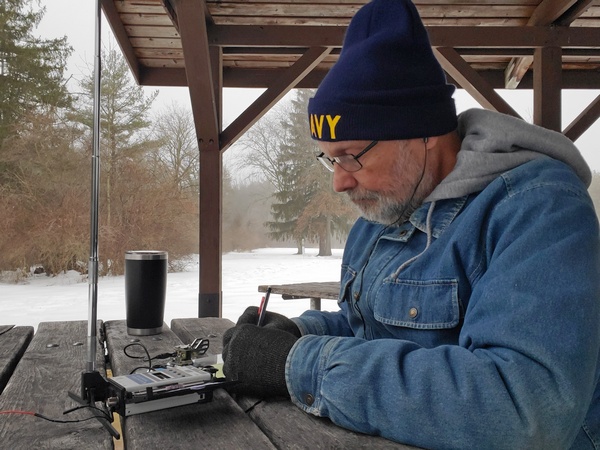
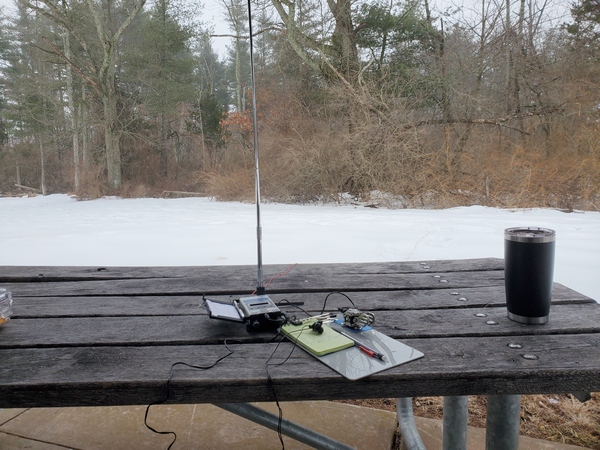
I was the only person in the park this morning, so I had a large picnic pavilion to myself. Of course, there usually aren’t many picnics on a weekday morning in February. I went with my Elecraft KH1 and whip antenna with a right-angle adapter from Tufteln. I ran my counterpoise wire out across the snow. 

WB3GCK operating at Evansburg State Park (US-1351, KFF-1351)
Operating at Evansburg State Park (US-1351, KFF-1351)

I started out on 40M with the Elecraft AXE1 extension coil. As always, the little whip antenna amazed me with how well it was getting out. I logged eight contacts in the first 10 minutes before the action slowed. After logging 11 contacts, I moved up to 20M. The action was a little slower there, but I still managed seven more contacts. 

The view from my operating position this morning

My coffee mug was nearly empty, so I called it quits after an hour on the air. I finished up with 18 contacts in my log. Not bad for a 45-inch antenna and “fair” band conditions, I suppose.

It was fun getting back out in a park again. Hopefully, I’ll get in another activation or two before the next round of snow shows up.

72, Craig WB3GCK

Thinking Inside the Box

I’ve been very happy with the soft case that came with my Elecraft KH1 Edgewood Package. It has room enough for the KH1 and most of the accessories I typically use with it. Although I’ve been very careful with the KH1, I somehow damaged the stock Elecraft paddles that came with it. I’m not sure how I managed to do that, but that prompted me to start looking into a hard case for transporting this expensive little radio.

[Note: This post is not sponsored, and there are no affiliate links.]

Fortunately, others have gone before me in this quest, so there are a variety of boxes that others have tried. KR8L wrote a blog post about using a Pelican 1040 case for his KH1. K4SWL had a blog post and an excellent video showing a bunch of hard cases suitable for the KH1. Somewhere online I saw mention of the Apache 550 as a less expensive option from Harbor Freight. Commercially, Tufteln sells a Pelican M40 case modified to fit the KH1 and its whip antenna.

Now that I had a mind-boggling array of options to consider, it was time for the next phase of my project: over-thinking and over-analyzing. 

While most KH1 users carry the bare minimum of items to get on the air. I, however, tend to over-pack. With the original soft case, I could carry everything I needed for pedestrian-mobile, picnic-table-portable, and stationary-mobile operations. Being a soft case, it has a little “give” to it when I squeeze in some extra items. So, for my purposes, I wanted a box at least large enough to hold everything I carried in the soft case.

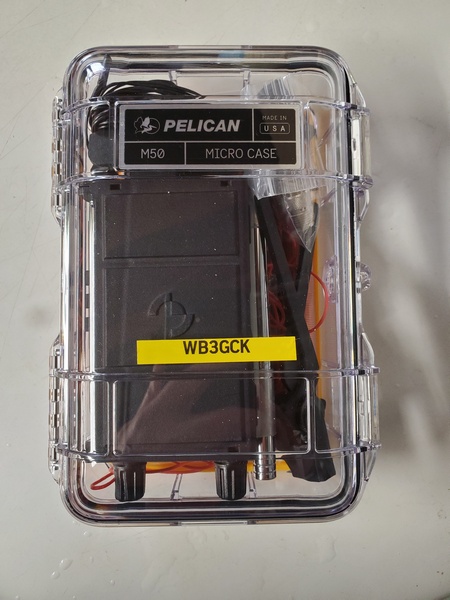
After much agonizing, I settled on the Pelican M50. With exterior dimensions of 8.10 x 5.50 x 2.90 inches, it’s somewhat larger than others use. However, it easily holds everything I carried in the soft case—and then some.

Pelican M50 MicroCase with my KH1 and accessories (see text for contents)

Here’s what I have in there:

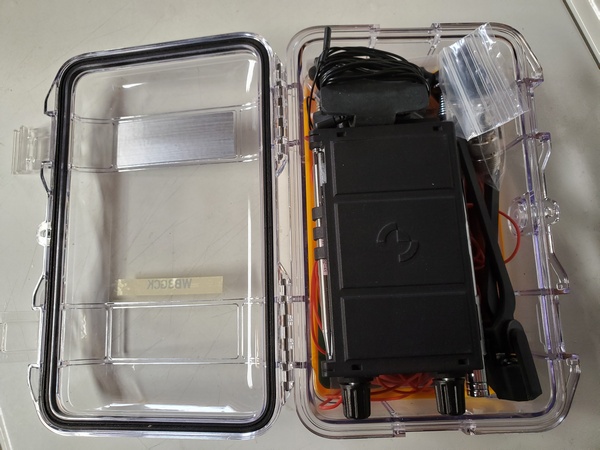
I placed the KH1 on top of the counterpoise wires for some cushioning, but the KH1 still flopped around a bit. I found that placing a 3×5 inch notepad under the KH1 kept it in place with the lid closed. So, the notepad and a full-size mechanical pencil are now part of the kit. No problem, since they will get used for picnic table operations. 

Pelican M50 MicroCase. The counterpoise wires and a notepad are under the KH1.

Although I already have a bunch of stuff packed in there, I’m still thinking about adding a random wire antenna and maybe some throw line. I might just keep that stuff in my backpack, though. We’ll see.

So that’s what I wound up with. In typical fashion, I probably packed more than I should have, but the overall weight of my backpack hasn’t increased very much. Plus, I like to think I’m minimizing the possibility of forgetting something in the field.

72, Craig WB3GCK